Introduction
Proceeding with the appointments with the PnP React controls today I want to talk about the ListItemComment control.
If you’re interested you can find the code of this sample here.
The ListItemComment control is used to add and display comments for a SharePoint list item.
Visual appearance
Let’s start with the visual appearance of the sample solution.
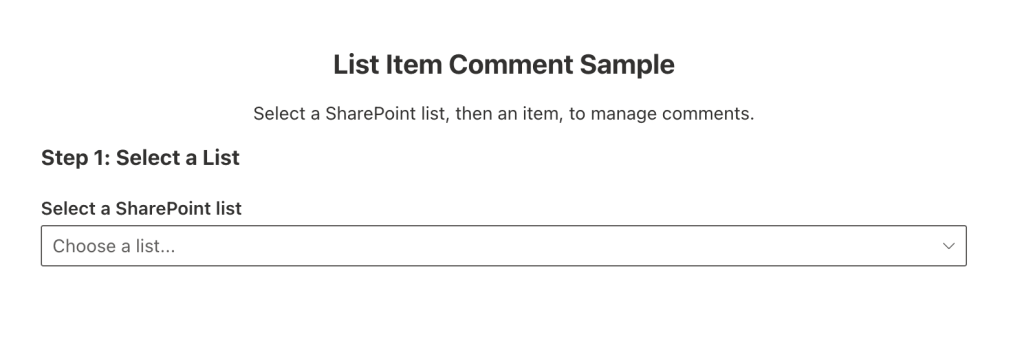
As you can see the solution first asks for a SharePoint list in the current site.
Once the list has been selected, the list items are loaded and available for selection.
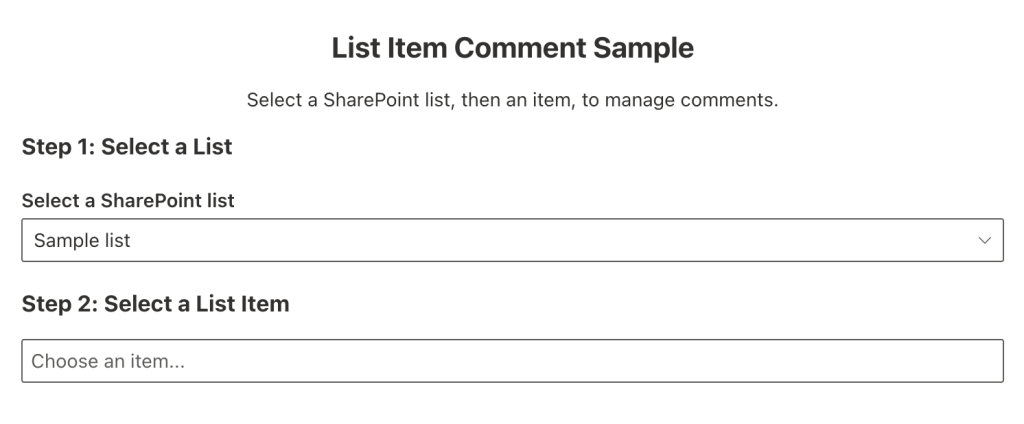
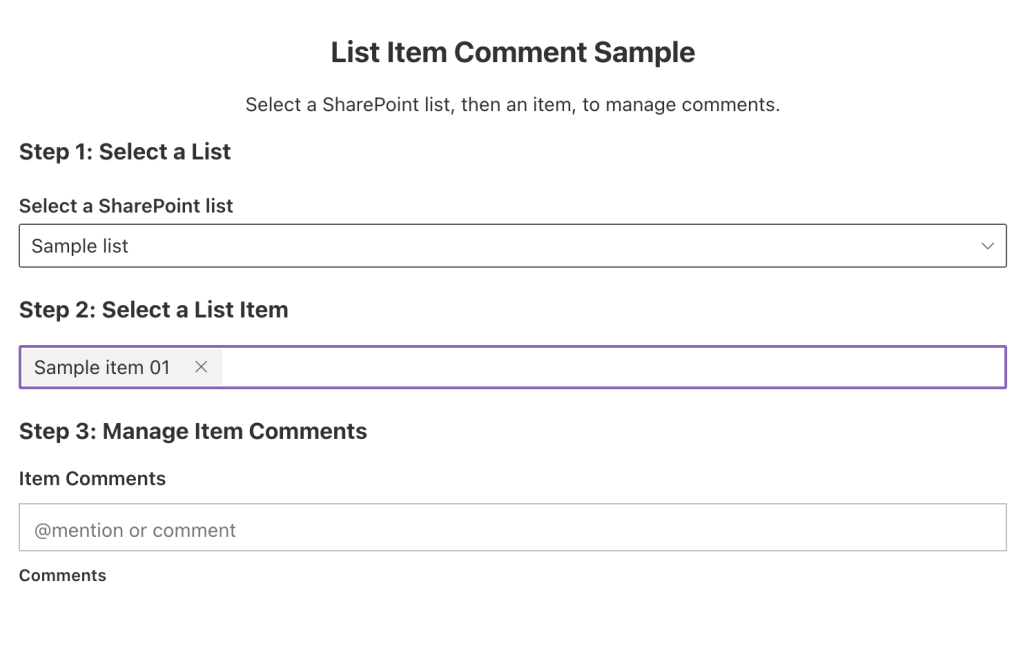
When an item is selected, the ListitemComment control will list the available comments and allow the user to insert a new comment. For example, following you can see a list item without any comment.
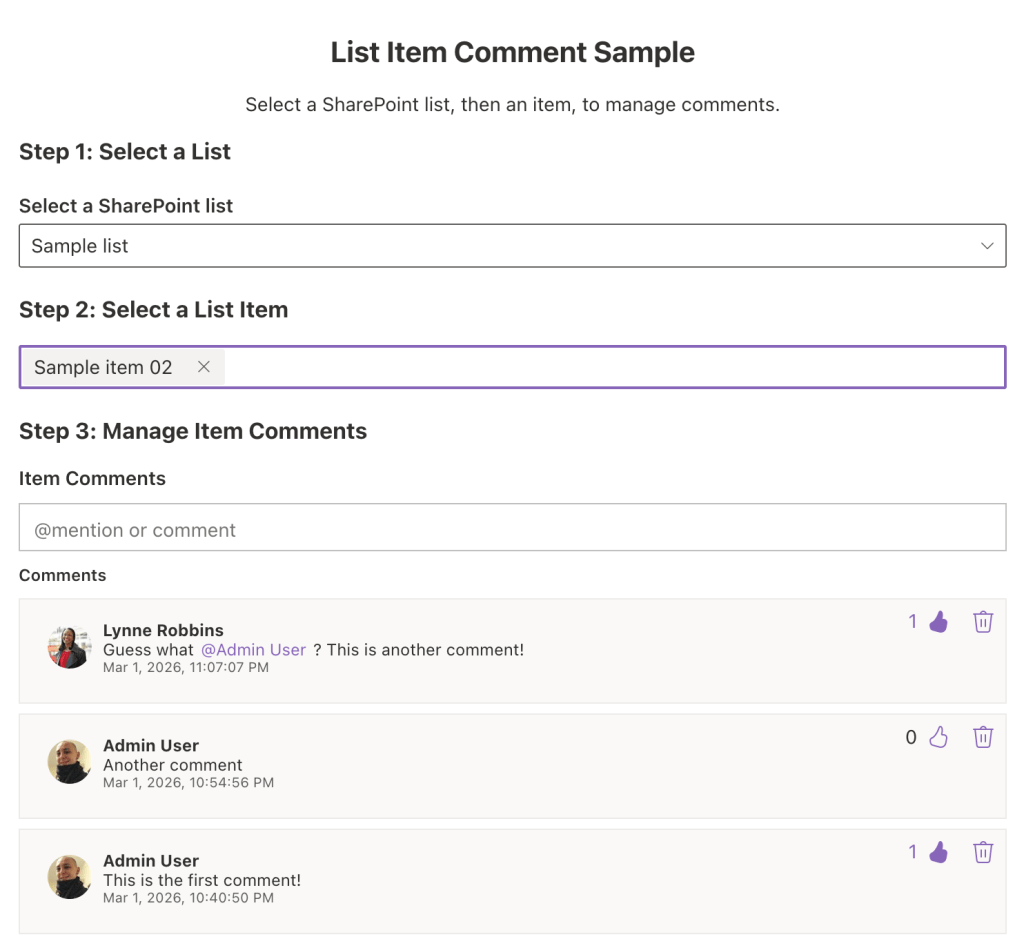
If the list item has comments those are displayed in a chronological order and allow the user to perform a couple of operations such as:
- liking the comment
- deleting the comment
Now let’s see how to use the control.
Show me the code
Prerequisites
To use the PnP React controls, first you need to install the package:
npm install @pnp/spfx-controls-react --save --save-exact
After the installation of the package you can proceed with the following instructions to use the ListItemComment.
To use the control you first need to import it and that can be done as following:
import { ListItemComments } from '@pnp/spfx-controls-react/lib/ListItemComments';
Actual implementation
In the sample solution, a ListPicker and a ListItemPicker controls are used to select the actual list item to be used from the ListItemComments control.
Once that we have the list ID and the list item ID we can use the ListItemComments as follows:
<ListItemComments listId={selectedListId!} itemId={selectedItemId} label={strings.ListItemCommentsLabel} serviceScope={context.serviceScope as any} />
NB: The
contextused for retrieving theserviceScopeis the web part one.
Conclusions
The ListItemComments control proves to be a powerful yet incredibly simple solution for integrating comment functionality into your applications. With minimal setup and a clean use, developers can quickly add robust comment handling without reinventing the wheel. It empowers developers to implement and manage comments in a flash, freeing up time to focus on building richer, more engaging user experiences.
Hope this helps!

 I am GuidoZam
One response to “Discover the ListItemComment control from the PnP reusable React controls”
[…] Discover the ListItemComment control from the PnP reusable React controls […]
LikeLike