First things first: what is Yeoman?
Yeoman is a CLI tool that helps you create new projects. To do so Yeoman uses various Generators, depending on the type of project you’re creating there are multiple generators available.
If you want to know more and discover all the available generators you can check the official site, in this article we will cover the @microsoft/generator-sharepoint that enables a quick start to create an SPFx project.
Ok, but how do I use it?
Once that you have Yeoman installed and ready to go you can install the SharePoint generator using the following command:
npm i @microsoft/generator-sharepoint -gAfter the installation of the generator you can use it to create a new project typing:
yo @microsoft/sharepointAfter a bit the tool will ask you what’s the name of the solution and what kind of component you want to create, for a quick idea of the possible options here’s a screenshot:
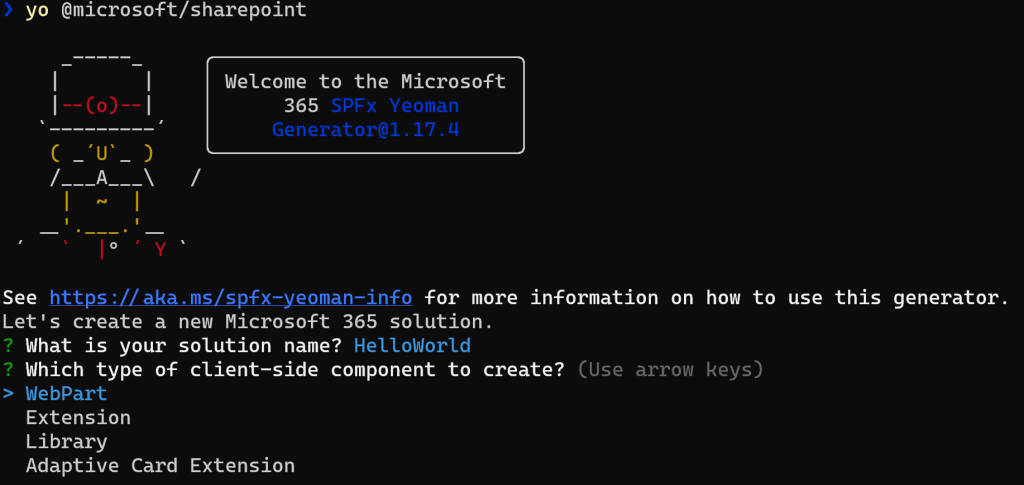
The possible types of components are:
- WebPart: it simply let’s you create a WebPart for SharePoint Framework.
- Extension: this option reveal a new menu where the possible extension types are:
- Application Customizer: enable customization in the header and footer of SharePoint sites.
- Field Customizer: customize the rendering of a field.
- ListView Command Set: allow the creation of new actions in the SharePoint UI, this extension supports the toolbar and the context menu.
- Form Customizer: this option enable the creation of a control to override the form experience in a SharePoint list or library linking the custom extension to a target content type.
- Search Query Modifier: this extension let you modify the search query executed using the search experience.
- Library: this component enables you to have independently versioned and deployed code served automatically for the SharePoint Framework components with a deployment through an app catalog.
- Adaptive Card Extension (aka ACE): this option lets you create a custom component to extend the Viva Connections’ dashboard.
If you want to know more and see the supported parameters of the SPFx generator you can check here.
Hope this helps!


 I am GuidoZam
Leave a reply to SPFx extensions: discover the field customizer – I am GuidoZam Cancel reply