Introduction
Are you facing any issues with some custom SPFx components in a SharePoint page?
Do you want to perform an operation but the custom components prevent you from doing that?
I discovered that there is a convenient query string parameter to be used in these kind of scenarios.
Show me how
You can enable the maintenance mode using the following query string parameter:
disable3PCode
This will temporarily remove all the customization made with SharePoint Framework from the current page.
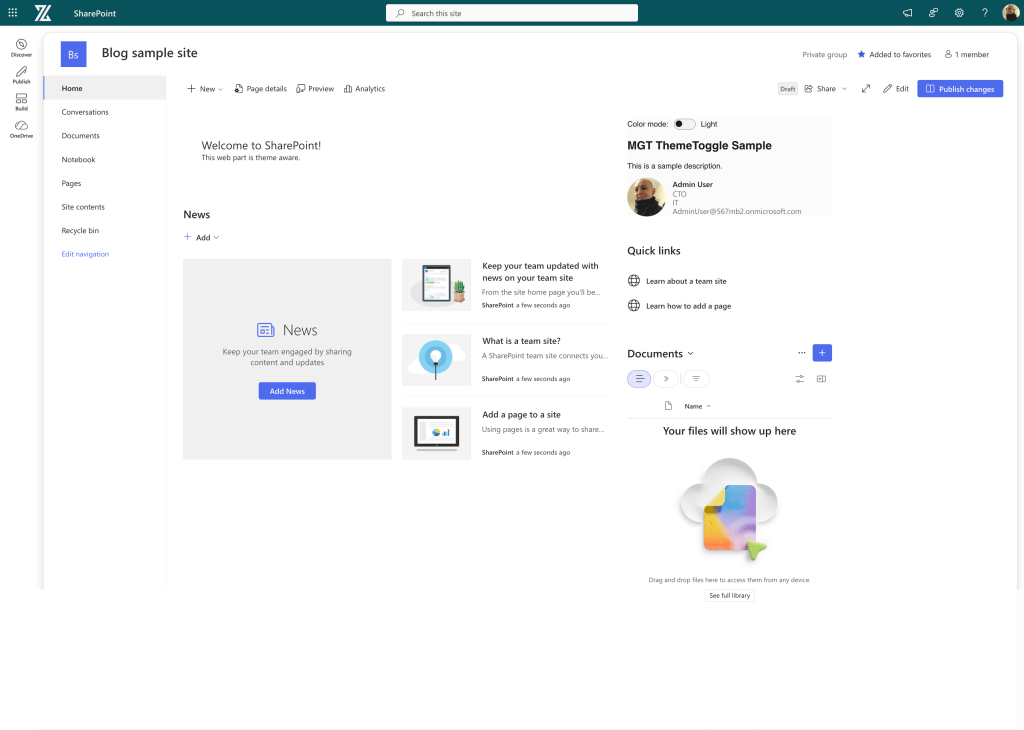
To demonstrate the use of this query string parameter, I’ve added a couple of custom web parts to a SharePoint page:
After adding the disable3PCode query string the custom web parts (the two in the top row) are prevented from loading:
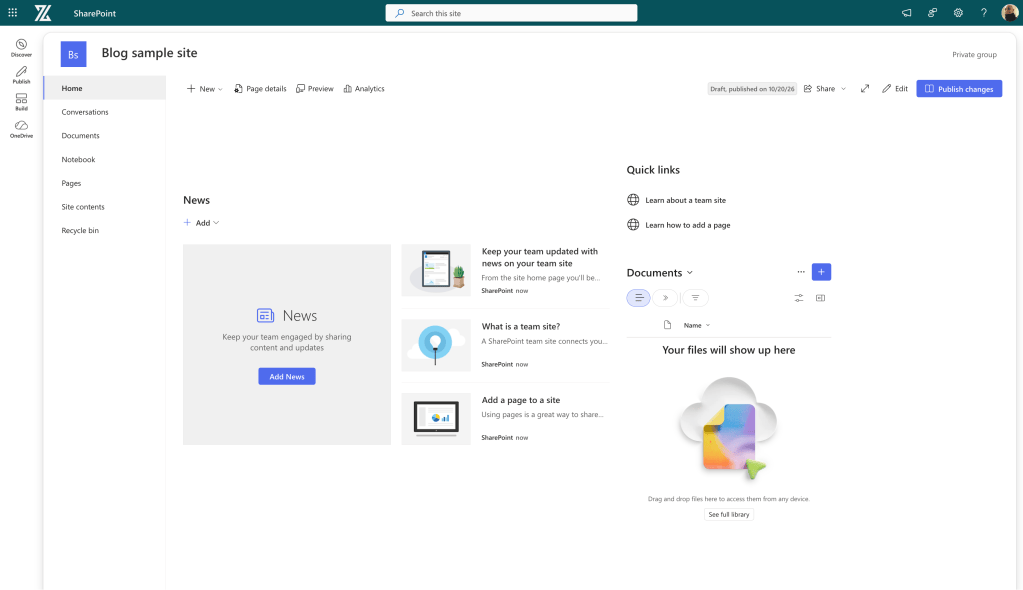
Pay attention to the fact that, if you’re planning on removing a custom component which is creating issues on a page, using the query string parameter won’t allow you to enter edit mode and remove the customization because the custom components are prevented from loading at all.
Conclusions
This can be very useful when a custom-made component is preventing a SharePoint page from loading.
If you’re interested in knowing more you can find the official documentation here.
Hope this helps!


