Introduction
Disclaimer: I won’t show any magic in this blog post, but I think it might be handy to developers who are approaching SharePoint Framework. If you already use SPFx I think this is a well known argument.
If you are here, probably, you already know how to configure a web part using the property pane but you are probably wondering if it is possible to configure a web part without having to hardcode values in the web part code or use the property pane. The answer to your search is: yes, you can.
You can configure web part’s properties without the need of the property pane, and this is achieved using the same properties but without configuring the property pane in your main web part component.
TLDR: you can simply use the web part’s manifest.json file to specify the value of your web part’s properties.
To demonstrate this topic, as usual, I’ve created a sample solution and will be referring to that when it comes to visual or code hints. If interested, you can find the sample solution here.
Now, let’s cover the visual appearance and the code behind it!
Visual appearance
As usual, let’s briefly cover the visual appearance of the sample web part and then show you the code behind it.
In this sample web part, I just show the various properties’ values:
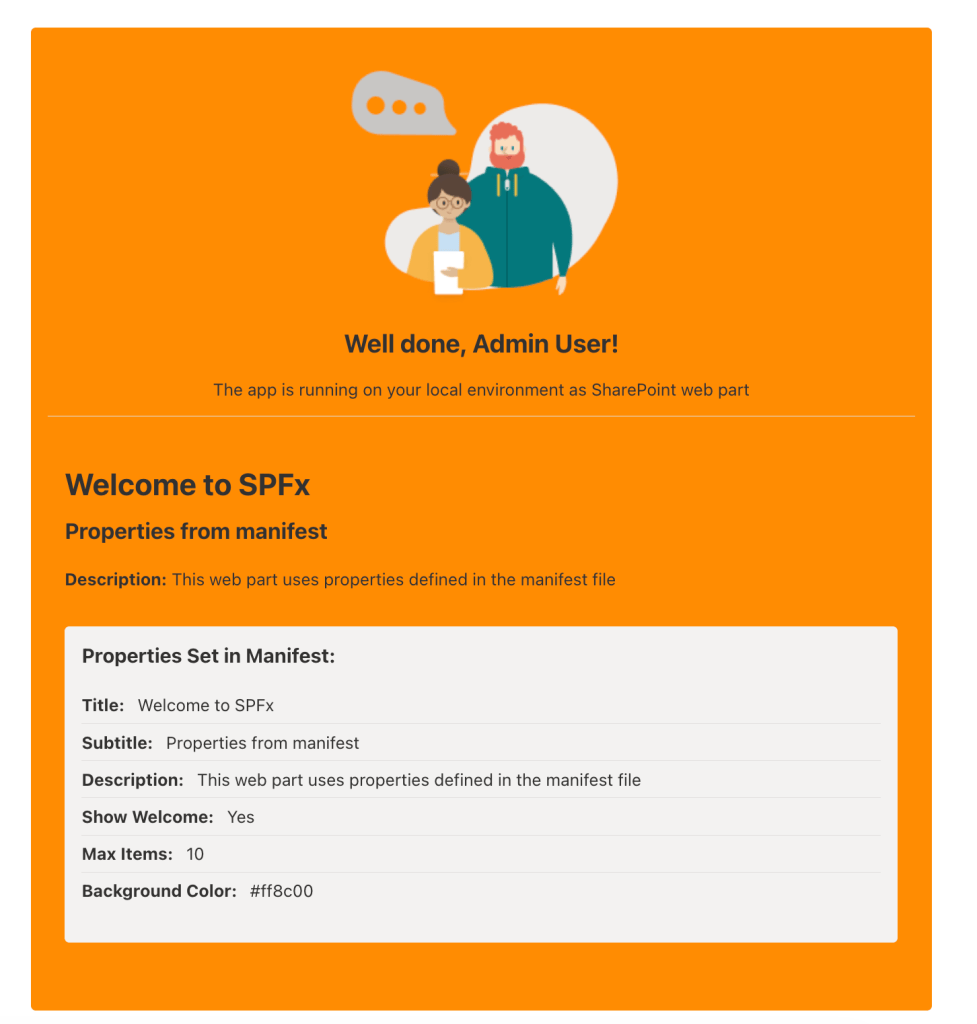
In the screenshot you can see that there are many elements here, but we are focusing on the white section titled Properties Set in Manifest.
In this example the web part’s properties are:
- Title: the title of the web part.
- Subtitle: a subtitle for the web part.
- Description: the description of the web part.
- Show Welcome: a boolean value to choose if to display the welcome image and text in the upper section of the web part.
- Max Items: a generic maximum number of items.
- Background Color: the background color used for the web part’s actual background color.
Now that you have an idea of what we are covering here, let’s get to the code!
Show me the code
When you don’t want (or need) to use the property pane, you have to know that you can use the web part manifest file to configure the web part’s properties.
This is all you need to know, simple isn’t it?
To better understand what it is like, sticking to my sample solution code, I have defined the web part properties like the following:
interface IManifestPropertiesExampleWebPartProps { title: string; subtitle: string; description: string; showWelcome: boolean; maxItems: number; backgroundColor: string;}
To configure those properties without a property pane, you will simply have to configure the specific web part’s manifest.json file with the values you want to use. In the sample solution, this is achieved with the following:
// omitted for brevity"preconfiguredEntries": [{ // omitted for brevity... "properties": { "title": "Welcome to SPFx", "subtitle": "Properties from manifest", "description": "This web part uses properties defined in the manifest file", "showWelcome": true, "maxItems": 10, "backgroundColor": "#ff8c00" } }]
After this, you can make use of your web part’s properties as you always have using the this.properties object in your web part’s main component.
Just a note about this approach: if you need to change a property value, you will have to build the solution again and re-deploy the SPPKG file.
Conclusions
I think it’s useful to know that there are different ways to achieve a similar result.
Using the property pane is very useful when properties’ values are more likely to change in time or when you need a quick and easy way to change those through the UI.
On the other hand, when properties need to be settable, but their values might never change, or if for any reason you don’t want to provide a UI way to change those, the manifest.json file way might be a better approach.
In my opinion there is not a best approach here, as is often the case it depends on your needs.
Hope this helps!


